Bloghow-to guides
YouTube Shorts algorithm: how it works and what to change
See how YouTube tests each Short in the Shorts Feed, which signals it reads, and the one change to make in your next Short, with a source for every claim.
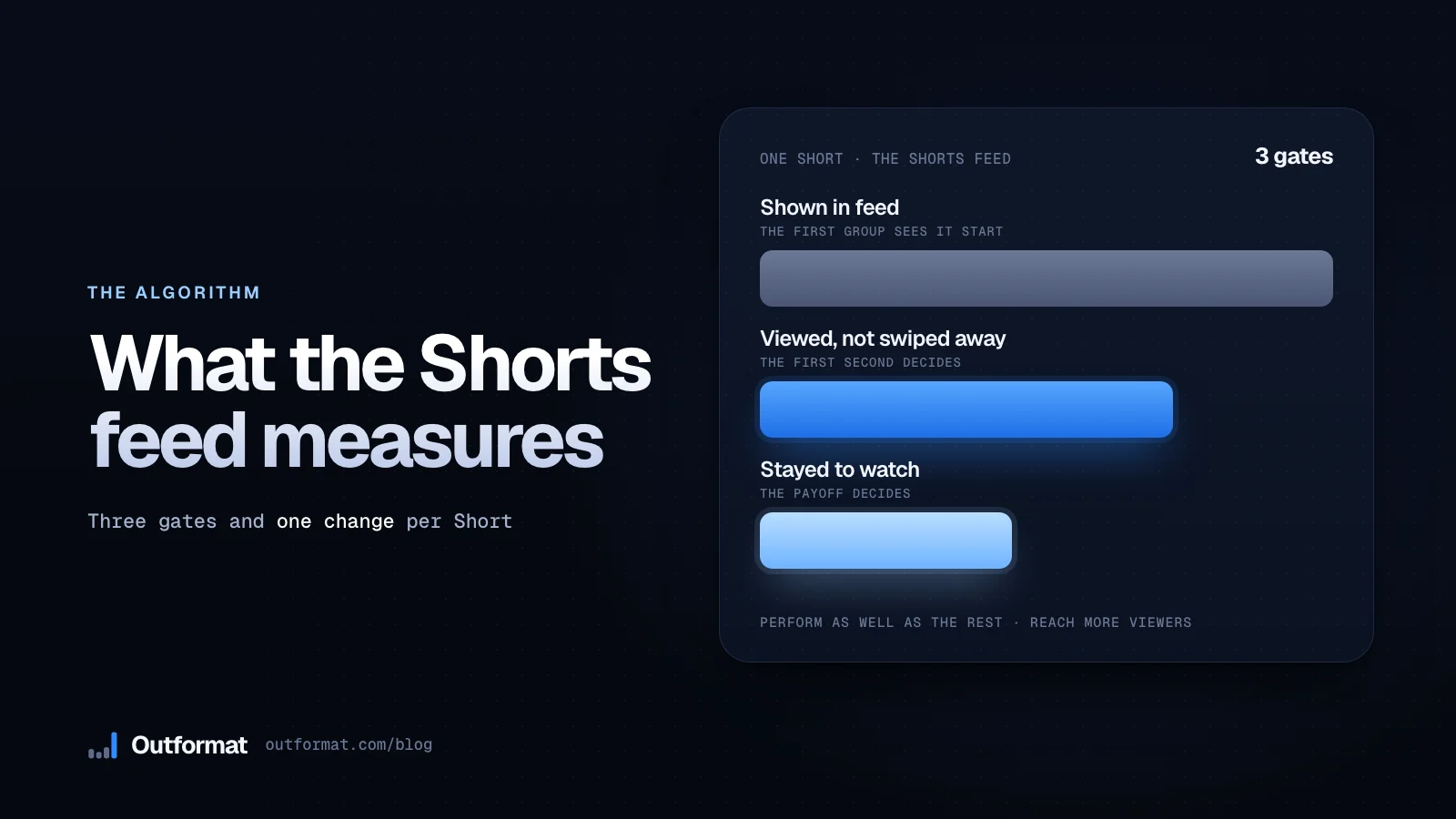
The YouTube Shorts algorithm shows each new Short to a first group of viewers in the Shorts Feed, measures whether they watch or swipe away, and shows it to more people only when it performs as well as the other Shorts competing for those slots. You control that result with your first second, one clear subject and a payoff that keeps viewers watching, and a posting schedule changes it far less.
This guide uses only what YouTube says in its own Help pages, blog and Analytics, and it ends each section with one change you make in your next Short. For the craft side, such as which formats win, read what makes a YouTube Short go viral.
Follow a Short through the four stages
YouTube does not publish its code, but it describes the path a Short takes. Here is that path in order:
- You upload. Most viewers watch Shorts in the Shorts Feed, a stream of vertical videos that YouTube tailors to what it thinks each viewer wants to see next (YouTube Help).
- YouTube shows the Short to a first group. The feed has no thumbnails, so there are no impressions and no clicks. A viewer sees the video start playing, and YouTube watches whether the viewer stays or swipes away. YouTube's Creator Liaison describes the first hundreds or thousands of views as the equivalent of long-form's first impressions, a way to see how the audience responds (YouTube Blog).
- The feed compares your Short with the others. The Shorts Feed is competitive, like the homepage. A Short that does not perform as well as the others in the feed does not go much beyond those first views, and YouTube adds that it may still take off on another day (YouTube Blog).
- A Short that performs as well or better reaches more viewers. It can then pick up tens or hundreds of thousands of views, or millions (YouTube Blog).
Your first change: stop judging a Short by its first few hours. Those early views are the test, not the verdict, so read them as the answer to one question, "did the first group stay?"
Know the difference between views and engaged views
Since March 31, 2025, a Shorts view counts every time a Short starts to play or replays, with no minimum watch time. YouTube keeps the old count as Engaged views in YouTube Analytics, so you can see how many viewers chose to continue watching (YouTube Help).
Two more numbers sit in the same Analytics. Viewed vs swiped away is the metric YouTube's Liaison names as the Shorts equivalent of impression and click-through. YouTube's Analytics guide also lists How viewers engaged, the share of times viewers stayed to watch past the initial seconds of a Short (YouTube Help).
Engaged views matter for money. YouTube bases Partner Program eligibility and Shorts ad revenue sharing on engaged Shorts views, and the Creator Pool allocates revenue by your share of engaged views (YouTube Help). To turn your engaged views into dollars, type them into the Shorts money calculator.
Your next change: judge each Short on Engaged views and on viewed vs swiped away, and use total views to see how far a Short travelled.
Match each signal to a change you make
YouTube says its system learns from over 80 billion signals (YouTube Help). You cannot move most of them, but you can move the ones below. Each row has the source and one action.
| Signal | What YouTube says | Your action |
|---|---|---|
| Watch or swipe | The system looks at what a viewer does when YouTube recommends a video: watch it, ignore it or mark "Not interested" (YouTube Help). | Show the result, the problem or the question in the first frame. |
| Staying | It uses average view duration and average percentage viewed to inform ranking (YouTube Help). | Cut every second that does not move the Short forward. |
| Satisfaction | Likes and post-watch survey results show whether viewers enjoyed it (YouTube Help). | Deliver what the first second promised, then end. |
| Watch history | The Shorts Feed follows each viewer, and watch history is a primary signal (YouTube Help). | Give each Short one subject, so viewers who like that subject find you. |
| Competition | Even with good metrics, you may get fewer impressions when other videos perform even better (YouTube Help). | Compare each Short with your own median, then copy your own winners. |
| Recency | The Shorts Feed may tune up on the recency of content (YouTube Help). | Post new Shorts at a pace you keep, instead of reposting old ones. |
| Format and AI | YouTube has no opinion about what type of video you make, and it can recommend videos made with AI as broadly as videos made without AI (YouTube Help, YouTube Help). | Pick the format by how your viewers react to it. |
Write the first second for a viewer who is about to swipe
The first gate is the swipe, so your opening carries more weight than any other part of the Short. Creator Jenny Hoyos, interviewed in a YouTube Blog recap with Shorts product lead Todd Sherman, says you have one second to hook someone on Shorts, and she uses a three-step formula: shock, intrigue, satisfy (YouTube Blog). That is one creator's method, not a rule from YouTube's system, so test it against your own numbers.
You can write your opening in three lines. Put the result on screen in the first frame. Add the question the viewer wants answered. Then show the proof. A caption that reads "Your seats after 3 years of coffee" over a photo of a stained seat does all three at once.
In our read of 1,532 winning Shorts from local business niches, the median winner changed the shot at 2.5 seconds, and the winners that talk said their first word at a median of 0.1 seconds. Read the full breakdown for the formats behind those numbers.
Keep your words and your logo out of the area the buttons cover. Check a frame in the Shorts safe zone checker before you export, so the like and comment column does not hide your hook.
Your next change: rewrite your next hook as a result, a problem or a question, and put it on screen in the first frame.
Hold the viewer to the last frame
After the swipe comes the stay. YouTube says its systems use average view duration and average percentage viewed as signals (YouTube Help). On a 20 second Short, a viewer who leaves at second 10 gives you 50% viewed, so a short Short that people finish gives the system a better signal than a long one they abandon.
YouTube says there is no universal ideal length. It tells you to aim for the length your content needs, to avoid filler and to read your audience retention curves in Analytics (YouTube Help). Our length guide shows how long a YouTube Short should be for each format.
Loops need care. Since every replay counts as a view, a Short that loops can collect views fast. YouTube publishes no statement that looping raises your ranking, and Engaged views keep the count of viewers who chose to continue. Treat a loop as a way to give the viewer a second look, and keep the payoff in the first pass.
Your next change: open your Shorts retention curve in YouTube Analytics, find the second where viewers drop, and cut or move whatever sits there.
Give each Short one subject for the viewers who want it
YouTube's recommendation system learns from each viewer's watch history, interest affinity and what similar viewers also enjoyed (YouTube Help). Your Short reaches the viewers whose history matches it. A Short with three topics matches fewer histories than a Short with one.
Skip bait. A Short that promises a trick and delivers an ad gets swiped, and YouTube treats a dislike as a signal that the viewer probably did not enjoy it (YouTube Blog). Satisfaction surveys ask viewers to rate what they watched, so the system learns how satisfied they were beyond their watch time (YouTube Help).
Your next change: write one sentence that states your Short's subject. If the sentence needs an "and", split it into two Shorts.
Expect Shorts to feed your long-form videos only a little
YouTube says the algorithm tries to understand a viewer's interest across Shorts, long videos, live streams and posts. A viewer who often engages with your long-form videos might see your Shorts. YouTube also says this is not common behavior, because viewers prefer formats as well as topics (YouTube Help).
The same page says that experimenting with Shorts will not inherently confuse the algorithm or hurt your channel, that the system evaluates each piece of content individually, and that one video that underperforms does not penalize your channel. YouTube adds one limit: long-term performance can drop if a viewer keeps skipping your videos when YouTube recommends them (YouTube Help).
So make Shorts that stand on their own, and link to your long-form video only when it answers the question the Short raised.
Post on a pace you can keep
YouTube's guidance names quality over quantity: put consistent quality ahead of a high frequency of uploads. It adds that content that frequently fails to resonate can, over time, affect your channel's overall performance, and that taking breaks does not make the algorithm penalize you (YouTube Help).
The same page says you should not overthink your publish time: YouTube has seen no evidence that publish time affects long-term viewership. YouTube publishes no number of Shorts per day that boosts reach, so any guide that gives you one is guessing.
Choose a pace you can sustain for months, such as two or three Shorts a week for a small business, and spend the time you save on the first second of each Short. Our guide to making YouTube Shorts for your business shows you how to batch a week of Shorts in one sitting.
Fix five mistakes that look like algorithm problems
- You delete a Short after two hours. The early views are impression-like. A Short that stalls can still take off later, according to YouTube's Liaison (YouTube Blog). Leave it up and read its viewed vs swiped away number.
- You compare this month with your one viral month. The same post says a big spike can be followed by a big drop, so compare your month with the one before the spike.
- You chase a perfect length. YouTube says no ideal length exists (YouTube Help). Cut the filler and keep the payoff.
- You post off-topic Shorts to stay active. YouTube says content that frequently does not resonate can affect your channel over time (YouTube Help). Skip a day instead.
- You hide your hook under the buttons. Move it into the clear box and check it in the safe zone checker.
Run a ten minute check every week
Open YouTube Studio, go to Analytics, and list your last ten Shorts with their viewed vs swiped away percentage. Here is an example with made-up numbers:
| Short | Shown in feed | Viewed vs swiped away | Verdict |
|---|---|---|---|
| Before and after | 4,000 | 71% | Beat your median. Make three more. |
| Price first | 3,500 | 66% | Near your median. Keep the format. |
| Question card | 5,200 | 48% | Rewrite the first frame. |
| Numbered tips | 2,900 | 52% | Cut the intro by two seconds. |
| Behind the scenes | 3,100 | 39% | Drop the format for a month. |
Your median in this example is 52%. Copy the Short that beats it by the widest margin, and fix the one below it, starting with the first frame. After a month, use the 3x test on your views as well, and if your channel is in the Partner Program, run your engaged views through the calculator to see what they pay.
Let Outformat make the Shorts you test
Outformat makes motion design videos from your business's name, colors, photos and the facts on your website, using the formats that already win in your niche. You download each one as an MP4 at 1080 by 1920 with the caption and hashtags written, then post it and read its viewed vs swiped away number a week later. Paste your website to see the formats winning in your niche, and post the first one this week.
Questions
How does the YouTube Shorts algorithm work?
YouTube shows a new Short to a first group of viewers in the Shorts Feed and watches whether they view it or swipe away and whether they stay. A Short that performs as well as or better than the others in the feed reaches more viewers. One that performs worse stops near those first views.
How many views does a Short get in the first test?
YouTube gives no fixed number. A YouTube Liaison post describes the first hundreds or thousands of views as the impression-like test of how the audience responds.
Does posting more Shorts a day help the algorithm?
YouTube's own guidance tells you to prioritize consistent quality over a high frequency of uploads, and says that frequently sharing content that does not resonate can affect your channel's performance over time. It publishes no number of Shorts per day that boosts reach.
What is viewed vs swiped away on Shorts?
It is the YouTube Analytics metric that shows the share of times a Short appeared in the Shorts Feed and the viewer chose to watch instead of swiping to the next one. YouTube's Analytics also reports how viewers engaged, the share of times viewers stayed past the initial seconds.
Do Shorts hurt my long-form videos?
No. YouTube says experimenting with Shorts does not inherently confuse the algorithm or hurt a channel's performance, and that it evaluates each video individually. It also notes that few viewers move between formats, so do not count on Shorts viewers watching your long-form videos.
Sources
- YouTube Help. How YouTube recommendations work
- YouTube Help. YouTube's Recommendation System
- YouTube Help. Good to know about recommendations for YouTube's recommendation system
- YouTube Help. Search and discovery tips, the algorithm and performance FAQs
- YouTube Help. Shorts, including the Shorts views count and Engaged views
- YouTube Help. Understand your content reach and engagement, including How viewers engaged
- YouTube Help. YouTube Shorts monetization policies
- YouTube Blog. Rene's Top Five on YouTube, April 4, 2024 edition, on how Shorts are tested in the feed
- YouTube Blog. YouTube Shorts deep dive with Todd Sherman and Jenny Hoyos
- YouTube Blog. On YouTube's recommendation system
You might also ask
How does the YouTube Shorts algorithm work?
YouTube shows a new Short to a first group of viewers in the Shorts Feed and watches whether they view it or swipe away and whether they stay. A Short that performs as well as or better than the other Shorts in the feed gets shown to more people. One that performs worse stops near those first views.
How many views does a Short get in the first test?
YouTube gives no fixed number. A YouTube Liaison post describes the first hundreds or thousands of views as the impression-like test of how the audience responds.
Does posting more Shorts a day help the algorithm?
YouTube's own guidance tells you to prioritize consistent quality over a high frequency of uploads, and says that frequently sharing content that does not resonate can affect your channel's performance over time. It publishes no number of Shorts per day that boosts reach.
What is viewed vs swiped away on Shorts?
It is the YouTube Analytics metric that shows the share of times a Short appeared in the Shorts Feed and the viewer chose to watch instead of swiping to the next one. YouTube's Analytics also reports how viewers engaged, the share of times viewers stayed past the initial seconds.
Do Shorts hurt my long-form videos?
No. YouTube says experimenting with Shorts does not inherently confuse the algorithm or hurt a channel's performance, and that it evaluates each video individually. It also notes that few viewers move between formats, so do not count on Shorts viewers watching your long-form videos.
Outformat
See what goes viral in your niche.
Paste your website or your Google Maps link. You see the real Shorts winning in your niche, then we make your own videos from those formats.
Read next
how-to guides
YouTube Shorts monetization: what Shorts pay and when
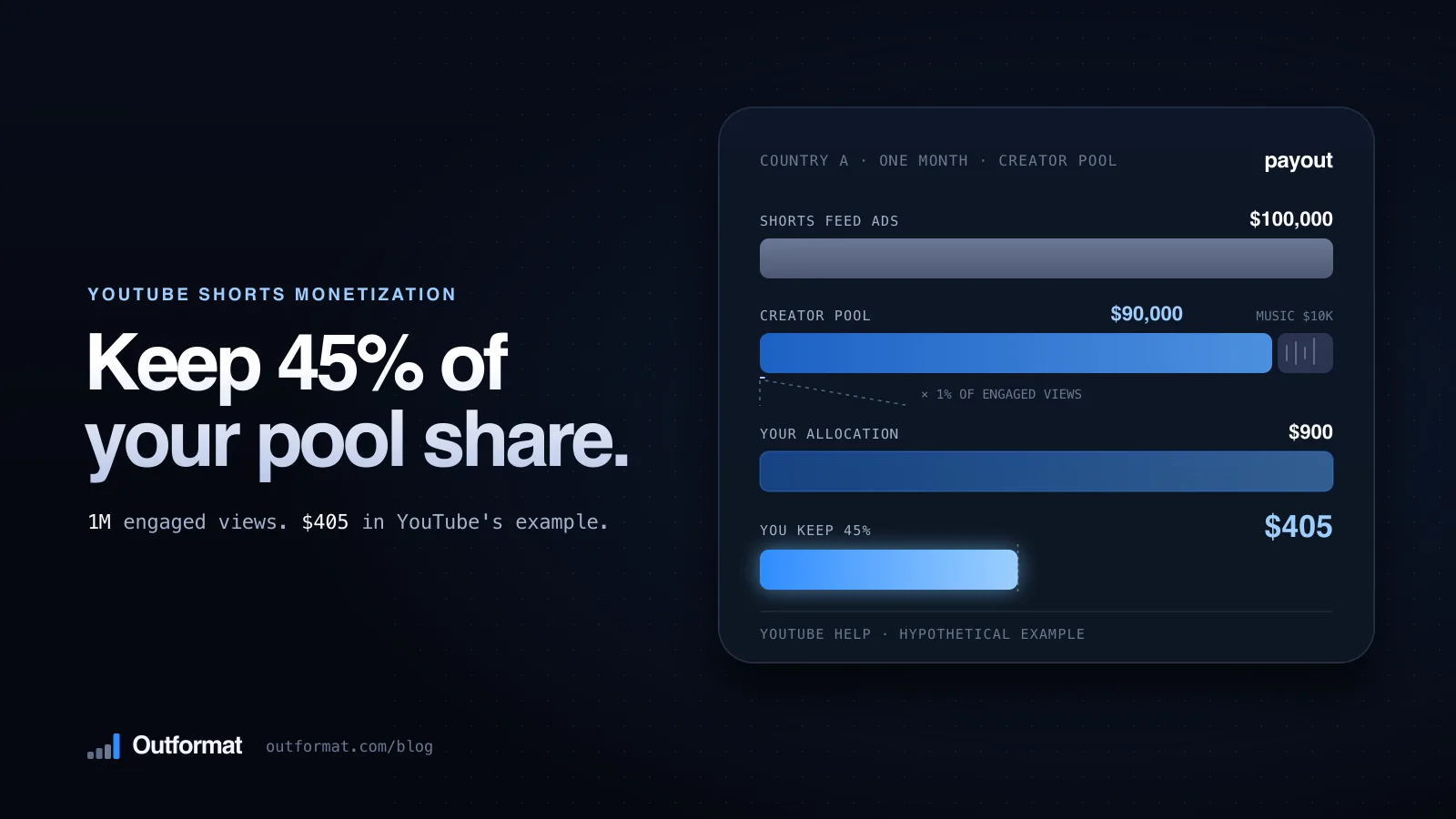
Learn how YouTube Shorts monetization works: the YPP thresholds, the Creator Pool, the 45% share, YouTube's own payout math and the February 2027 changes.
how-to guides
Learn how long a YouTube Short should be for your business
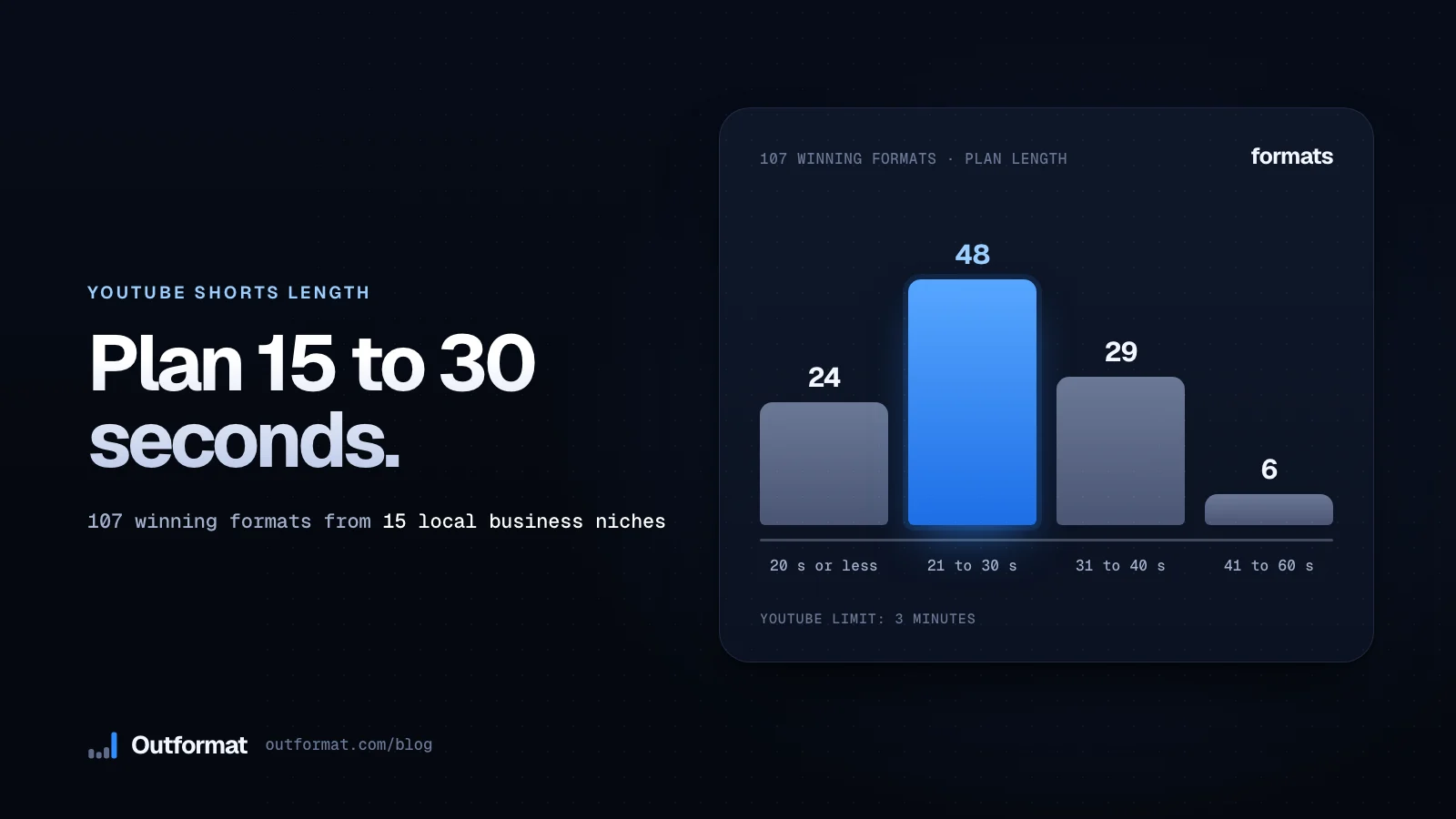
YouTube lets you post Shorts up to 3 minutes. See the lengths 107 winning local business formats use, then plan a 15, 30 or 60 second Short.
how-to guides
Make YouTube Shorts for your business without filming yourself
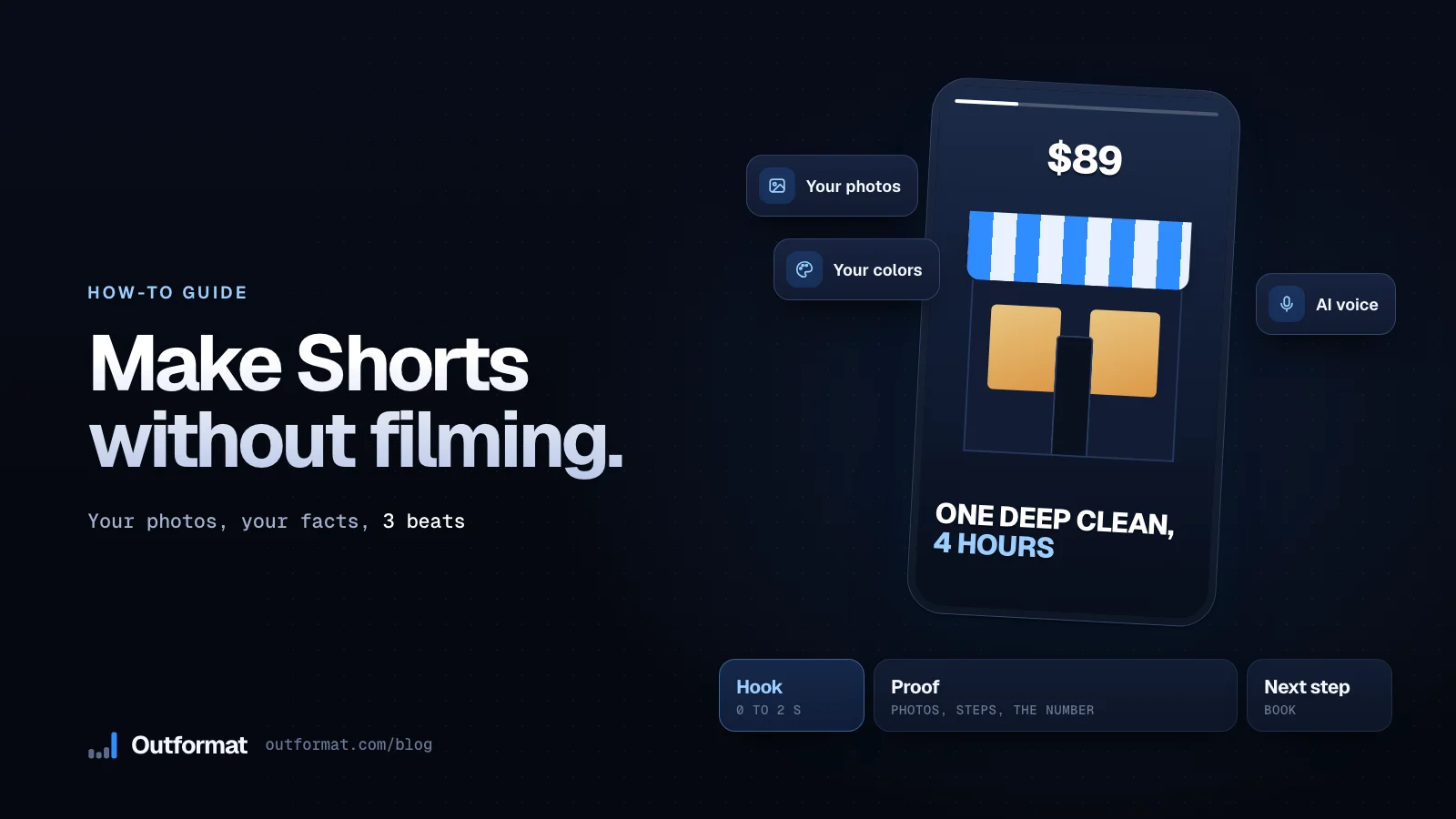
Make Shorts for your business from your photos, your facts and a format that already wins. Follow 7 steps, from the format to the vertical export, with no camera work.