Bloghow-to guides
Make YouTube Shorts for your business without filming yourself
Make Shorts for your business from your photos, your facts and a format that already wins. Follow 7 steps, from the format to the vertical export, with no camera work.
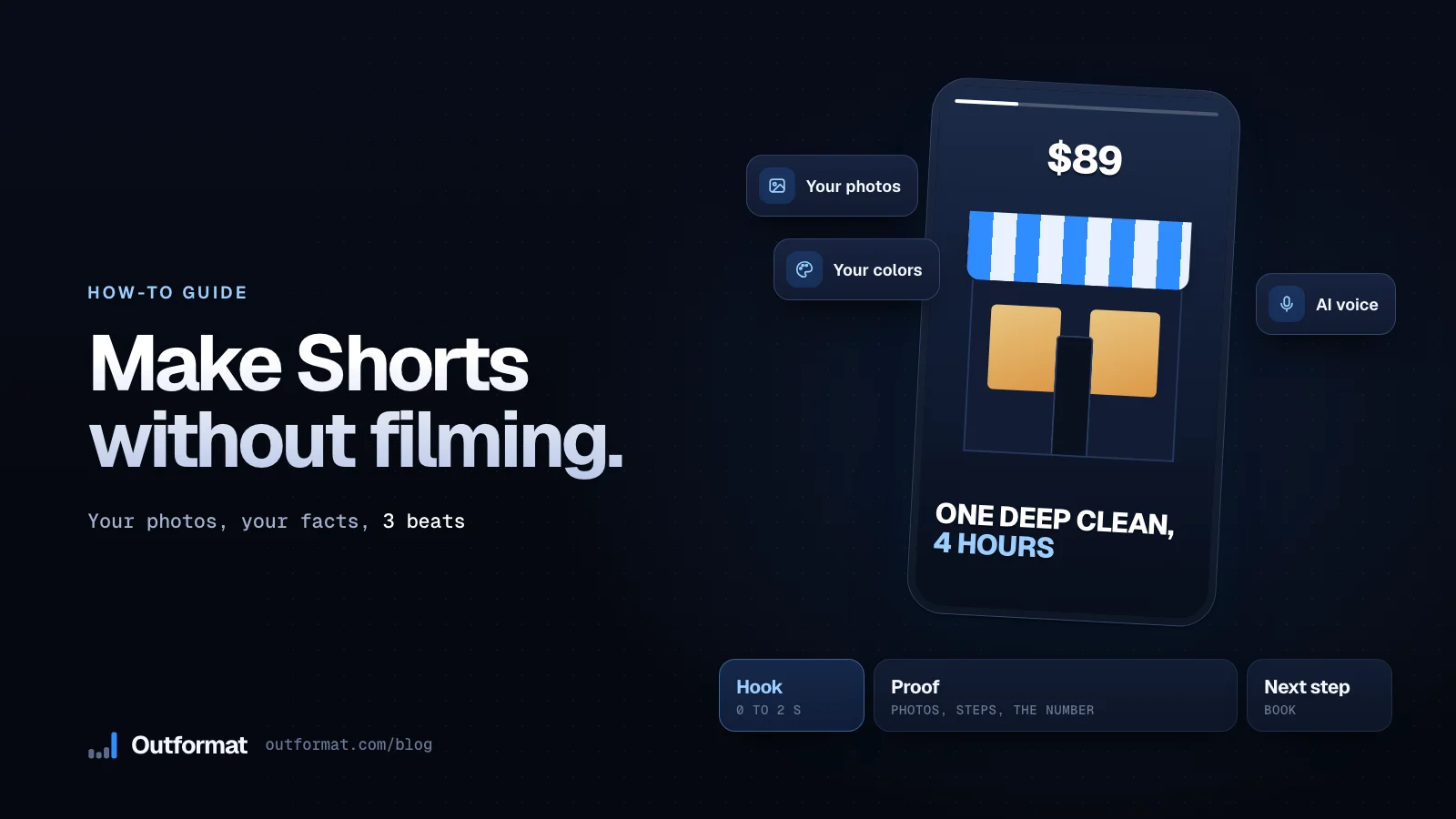
You can post YouTube Shorts for your business without filming: pick a format that already wins in your niche, build it from your photos and your facts, add captions and a voice, and export a vertical video. This guide walks you through each step, with the numbers we found when we read 35,066 Shorts from 15 local business niches in October 2026.
1. Pick a format your niche already proved
Start from a format that already beat its channel's views in your niche. Open your niche page to see the winners right now: barbers, dentists, real estate agents, restaurants, car detailers and 10 more niches. For a cross-niche list, read 12 YouTube Shorts ideas for small businesses.
Several winning formats need no camera on the day you post them:
- Before and after: two photos from the same angle, one hard cut, two seconds on the result.
- Numbered tips: three to six tips, one photo and one caption each.
- Price first: the real price on the first frame, then three photos of what it buys.
- Question card: a plain card with the question your customers ask, then your answer. Manhattan Bridge Orthodontics opened on a still card asking "Do braces hurt?" and got 6x its channel's median.
2. Write three beats under 20 seconds
Give your Short three beats and no more:
- The hook, 0 to 2 seconds: the result, the problem or the question.
- The proof, 2 to 15 seconds: the photos, the steps or the number.
- The next step, last 3 seconds: what the viewer does next, like book, call or visit.
Change the image or the text before the third second. Among the winners we timed, the median first cut came at 2.5 seconds, and the winners that talk said their first word at a median of 0.1 seconds. Write every line short enough to read in one second. For the length that fits each kind of format, read how long a YouTube Short should be.
Here is a script for a car detailer: "Your seats after 3 years of coffee" (photo of a stained seat). "One deep clean, 4 hours" (three photos of the work). "Same seat, same car" (the clean seat, held for two seconds). "Book on our site" (logo and address).
3. Gather what you already own
You own most of the material already:
- Photos: your website, your Google Business Profile and your Instagram grid. Use photos you took, and ask customers before you show them.
- Your brand: your logo and your two or three main colors.
- Real facts: prices, opening hours, your neighborhood, the services people book most and a line from a public review.
Skip stock photos of people who never worked with you. Your regulars know your chair, your counter and your truck, and they spot a fake on sight.
4. Animate your photos with four moves
Motion turns a still photo into a Short. Use a few moves and repeat them:
- A slow push-in on the photo that carries the result.
- A split screen or a wipe for before and after.
- Text that lands one word at a time.
- A number that counts up, like a price or a count of clients served.
Keep each photo on screen for 1 to 3 seconds and change something at every beat. Most phone and desktop video editors with keyframes handle all four moves.
5. Add captions and a voice
Burn captions into the video so your Short works with the sound off. Put one short line on screen at a time, in big type, away from the bottom edge where the app draws its buttons. Drop a frame into the free Shorts safe zone checker to see exactly where that edge starts.
For the voice, pick one of three: record yourself reading the script, use a natural AI voice, or skip the voice and let the captions carry the Short. Silent formats showed up among the winners in 12 of the 15 niches we read, so text alone can work.
6. Export a vertical video and upload it as a Short
Export a vertical MP4 at 1080 by 1920 pixels. YouTube lets you upload vertical videos from your computer or your phone as Shorts, up to 3 minutes long (YouTube Help). Put the words your customers search in the title, such as your trade and your city, and add two or three hashtags.
Post the same file to TikTok, Instagram Reels and Facebook too. They all play vertical video, so one edit feeds four apps.
7. Post on a schedule and judge each Short against your channel
Pick a pace you can keep for months, like two or three Shorts a week. Then judge each Short against your own channel: when a Short gets 3x or more your channel's median views, it beat your usual audience, and its format deserves three more videos. Our guide on what makes a YouTube Short go viral shows the full 3x test.
Since March 31, 2025, YouTube counts every start or replay of a Short as a view. If your Shorts loop a lot, compare Engaged views in YouTube Analytics too.
Let Outformat make the videos for you
Outformat runs these seven steps for you. Paste your website or your Google Maps link: we read your name, your logo, your colors, your photos and your city, find the formats winning in your niche, and make motion design videos from them. You download each video as a 1080 by 1920 MP4, with the caption and hashtags written. Plans make 5, 15 or 30 videos a month, from $29. Paste your website to see the formats winning in your niche first.
You might also ask
Can I make YouTube Shorts without filming?
Yes. Build the Short from your own photos, your logo, your colors and real facts like prices and opening hours, then animate them with motion, captions and a voice. Silent formats won in 12 of the 15 local business niches we read.
How long can a YouTube Short be?
YouTube lets you create Shorts up to 3 minutes long. Most winning formats in local business niches run 10 to 40 seconds, so plan three beats under 20 seconds.
What size should a YouTube Short be?
Export a vertical MP4 at 1080 by 1920 pixels. YouTube lets you upload vertical videos from your computer or your phone as Shorts.
How often should a small business post Shorts?
Post on a schedule you can keep for months, such as two or three Shorts a week, and judge each one against your channel's median views.
Outformat
See what goes viral in your niche.
Paste your website or your Google Maps link. You see the real Shorts winning in your niche, then we make your own videos from those formats.
Read next
how-to guides
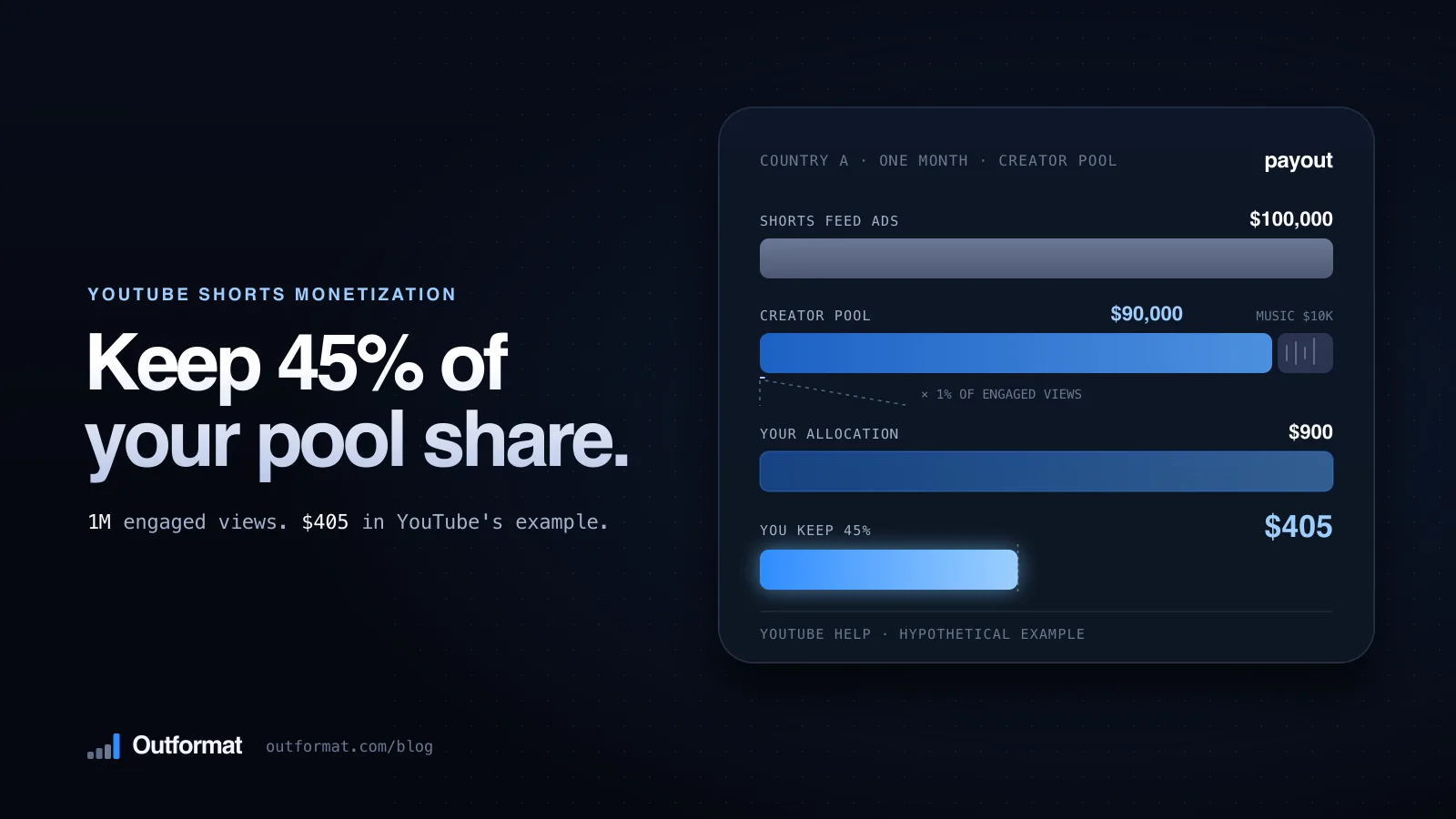
YouTube Shorts monetization: what Shorts pay and when
Learn how YouTube Shorts monetization works: the YPP thresholds, the Creator Pool, the 45% share, YouTube's own payout math and the February 2027 changes.
how-to guides
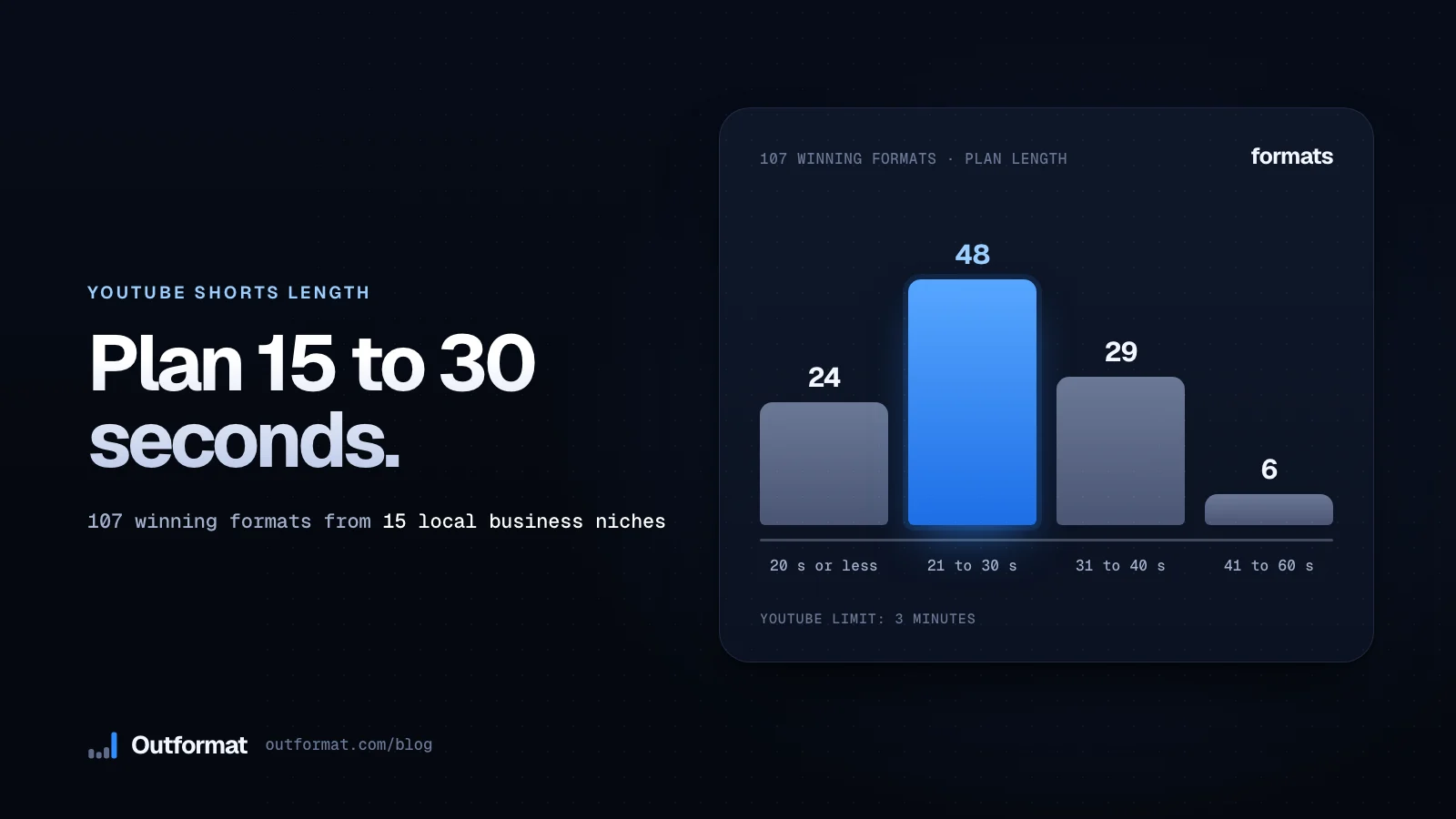
Learn how long a YouTube Short should be for your business
YouTube lets you post Shorts up to 3 minutes. See the lengths 107 winning local business formats use, then plan a 15, 30 or 60 second Short.

video marketing
Learn what makes a YouTube Short go viral from 35,066 local business Shorts
We read 35,066 Shorts from 15 local business niches and kept the 1,532 that beat their own channel 3x. See the habits they share and test your own Shorts the same way.